Showing posts with label Twitter. Show all posts

Thursday, March 19, 2015

Twitter Basics Tutorial


Twitter is an online social networking service that allows you to keep in touch with others. It's great for sharing your thoughts, talking to others, and seeing what others are doing. Twitter is useful for just about everything - from doing business and promotion to just keeping in touch with friends. The 140-character tweets allow for short, to-the-point, and public messages to those who follow you. It is accessible from your desktop and all mobile platforms, making networking easy and on-the-go.

The tweeting system is separated into three parts: retweeting, favoriting, and posting tweets. Retweeting posts you like is a way of sharing your opinions or just things that you find amusing or empowering. To favorite a tweet is to show the poster that you like what he or she said - it's a more subtle way of support. Tweets that you post can be seen by your followers and, depending on your privacy settings, the world.


Patrick Larkin wrote a great article about his own experience with Twitter and why it should be used more often here.


Edit:


Someone messaged us and mentioned that the mobile app of Twitter is different from the website. Sorry about that! We forgot about the app itself.


As mentioned before, there are some major differences between the webpage and the mobile app.


When you first open the Twitter app, the home screen pops up.


The second and third icons are similar to the notifications tab and direct message function on the webpage. The fourth and final icon, labeled “Me,” is where you can access your settings and your own tweets.


the gear icon

On the "Me" page, the gear icon to the right of your profile picture is where you can access the settings. Once you click on it, another menu will pop up (see pic). The settings is the first option from the top. The process is shown down below.


Friday, January 9, 2015

In Person Consultation: Mr. McSweeney

Help Desk is the luxury of in person consultation. This service allows anyone in the  RMHS Community to talk one-on-one with a student help desk team member; they can come and visit us in the library or schedule a GHO session. These sessions  can be from something as simple as a question about an application or something more complex such as how to utilize technology for a lesson plan.


For one of first consultations, we had Mr. McSweeney come in to ask about the latter. Mr. McSweeney is an teacher and the English Department Chair at RMHS. He was looking for a way for students to effectively document and share in preparation for their unit on journalism. When he came into RHD, Mr. McSweeney already had some ideas of how to do this. Wanting to deter from the typical formal presentation, he was looking from something in the blog-o-sphere. We had multiple sites in mind; Storify, WordPress, and Blogger. With these three blog mediums there are two routes we suggested. Either each student can have their own blog or they can create a class blog that everyone has access to edit.  The latter option is only available in Blogger.


After our consultation, Mr. McSweeney decided to use a classroom blog on Blogger because students would not be posting more than a few times. He recommended to his students that they use either feedly or Twitter to follow news outlets and gather information on the top three of something they found interesting that week. Once they did such they would create a blog post on it. These initial instructions are shown here as delegated by Mr. McSweeney for his class.
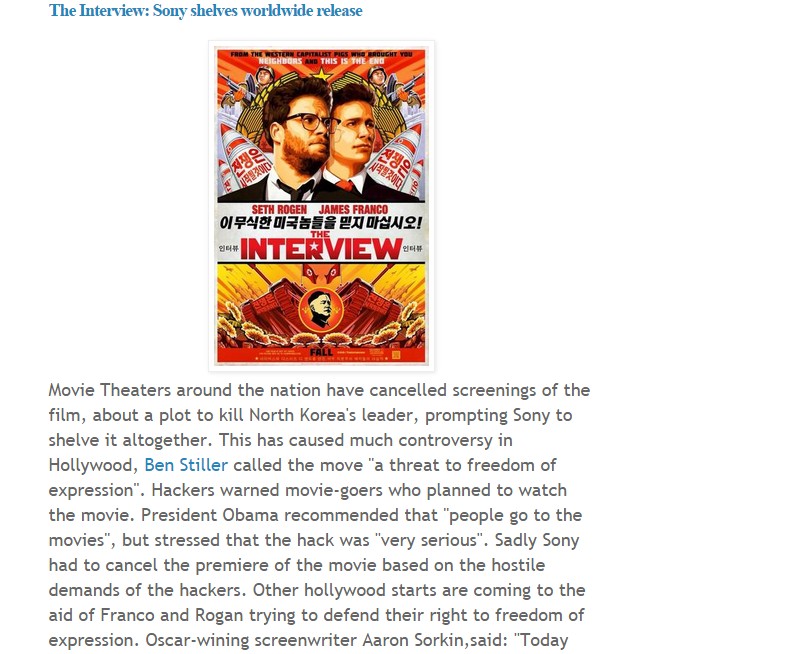
After he presented the assignment to his students, they immediately got started with the blog. Many were new to blogging in a classroom setting but all took on the challenge well. Lauren Fiore, one of the more experienced bloggers, used many tools available in Blogger. As seen here, she effectively added an image while keeping it at a reasonable size. Lauren also used a link within the text to show more information on a specific facet of the subject. A post like this makes it easier to navigate the information as a reader but also cite information used for the post as an author.


If you want to read up on what Mr. McSweeney’s class is doing, you can read up on their blog here, they’ll be posting a few more times throughout the year.


If you want to create a great post like  Lauren’s, you can watch our Blogger tutorial here,


And if you are interested in consulting with us for any tech need, you can find us in the library D and E blocks or just shoot us an email at rocketshelpdesk@gmail.com and we will get back to you as soon as we can with more details. Happy Blogging!